Sprint Retrospectives Are Here
TL;DR
Open a retro at agilekit.app/retro/new and share the link. Everyone writes stickies at the same time, face-down until the facilitator reveals them. Stack the similar ones, vote, talk through the top topics and give each action item an owner. When you start the next retro, the open action items come along. Free, and nobody needs an account.
AgileKit now runs sprint retrospectives, on the same whiteboard as planning poker. If your team already estimates here, the retro will feel familiar: the same canvas, the same share button and settings panel, and the same join flow where people open a link and type a name.
The retro borrows one rule from planning poker. In a poker round, cards stay hidden until everyone has voted, so the first number said out loud can’t drag the others toward it. In a retro, everyone writes before anyone reads, and the team votes on what to discuss before the discussion starts.
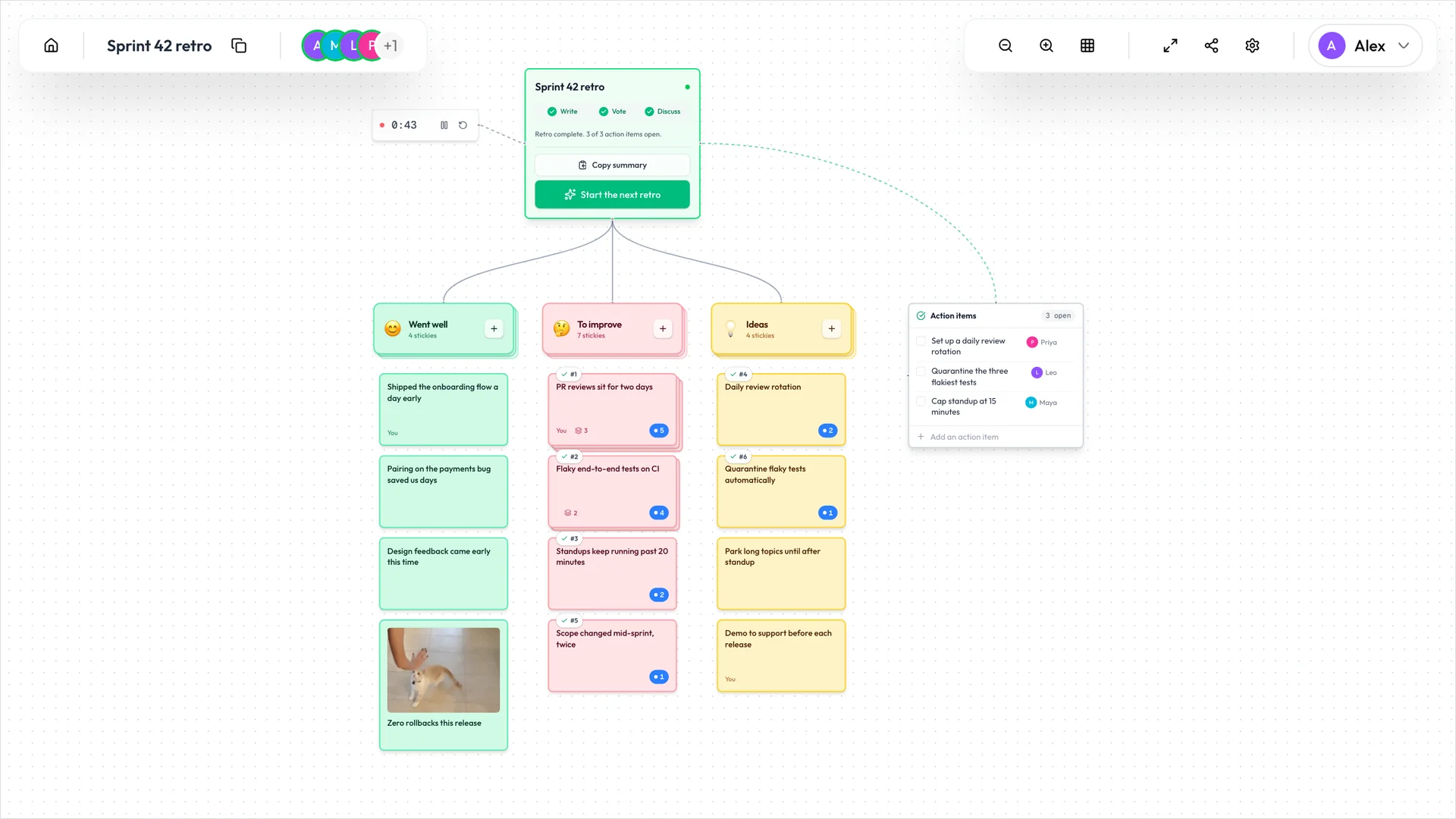
How a retro runs
A retro moves through four steps: Write, Vote, Discuss and Done. The box at the top of the board shows which step you’re on and holds the one button that moves everyone to the next. By default, only the person who started the retro and anyone they make a facilitator can press it.
Open a board
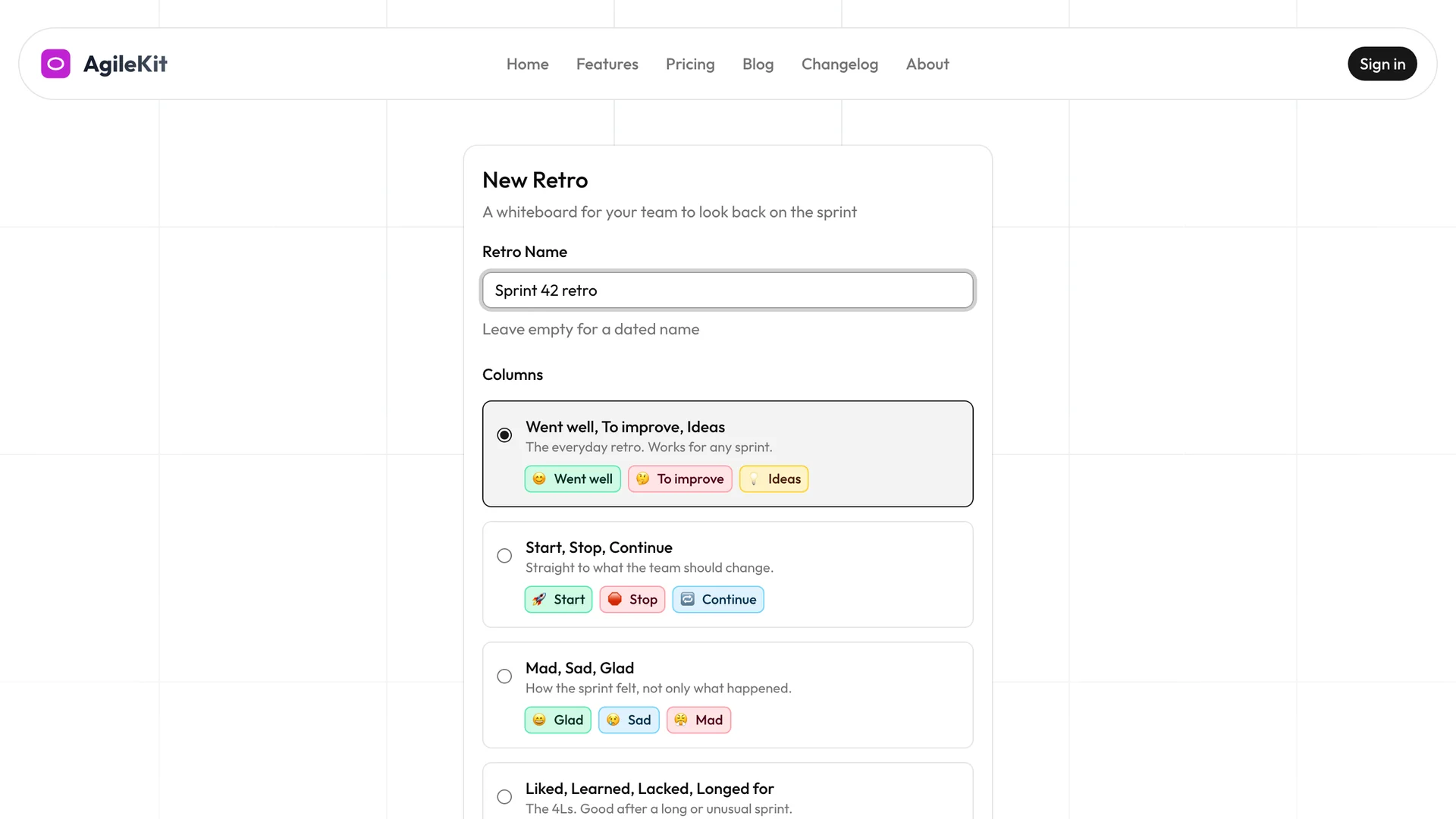
Go to Start a retro, give it a name, and pick one of five templates:
- Went well, To improve, Ideas
- Start, Stop, Continue
- Mad, Sad, Glad
- Liked, Learned, Lacked, Longed for
- Sailboat: Wind, Anchors, Rocks ahead, Island
Leave the name empty and the retro is named after today’s date. AgileKit copies the link as the board opens, so you can paste it straight into the call. Teammates open it, type a name and they’re in.
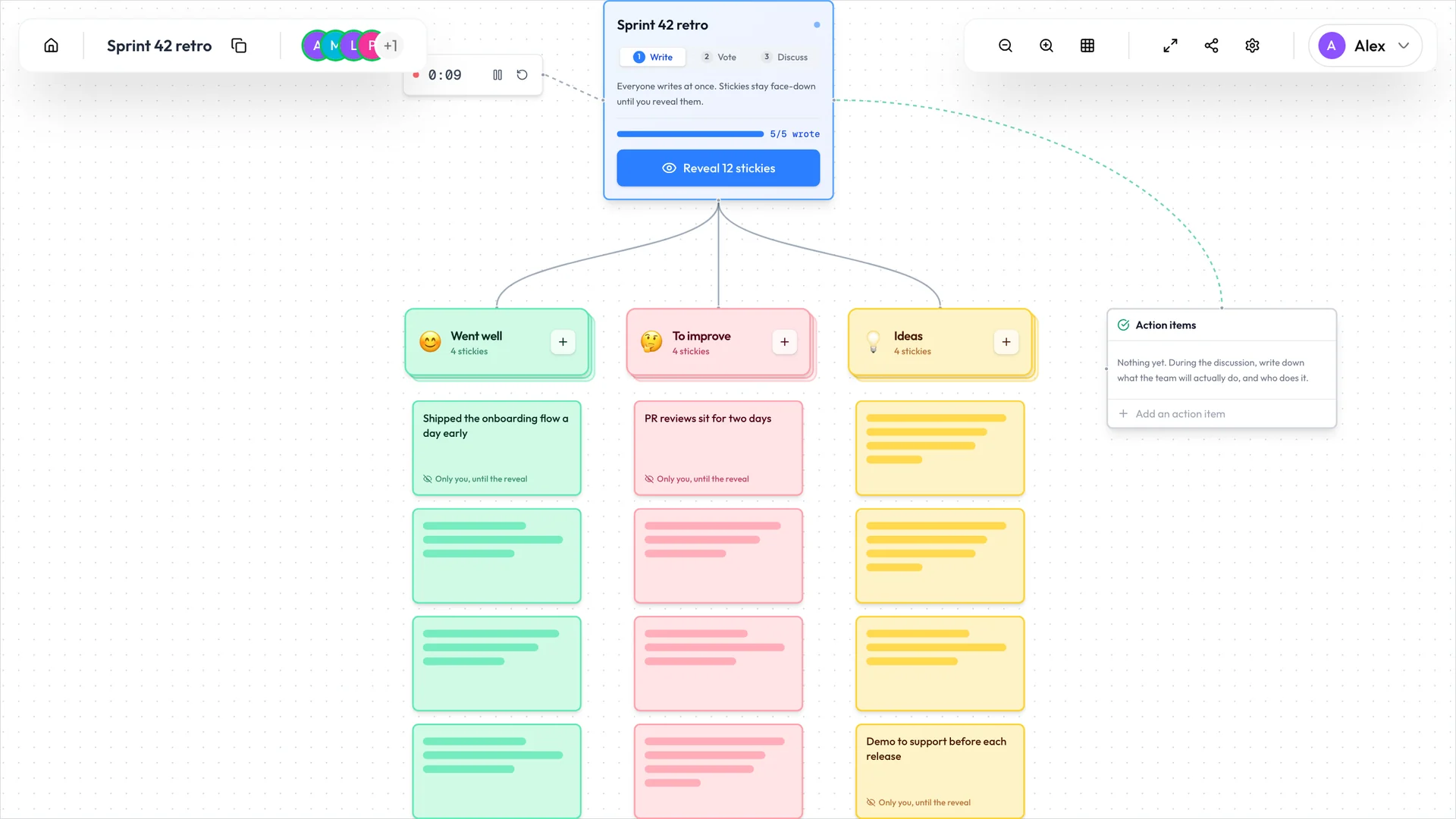
Write, face-down
Everyone writes at once. Click the + on a column to add a sticky under it, or double-click anywhere on the board. Enter sticks it, and Shift+Enter starts a new line.
You see the words on your own stickies, marked “Only you, until the reveal”. Everyone else sees them face-down, with the text hidden, in the right column. The board fills up while people write, and nobody reads ahead. The box at the top counts how many people have written so far.
Face-down holds on the server too. The words of a face-down sticky never reach anyone else’s browser before the reveal, whatever that person’s role in the retro.
A sticky can hold a GIF as well as words. Search GIPHY from the sticky, or paste a GIPHY, Tenor or Imgur link.
Reveal, stack and vote
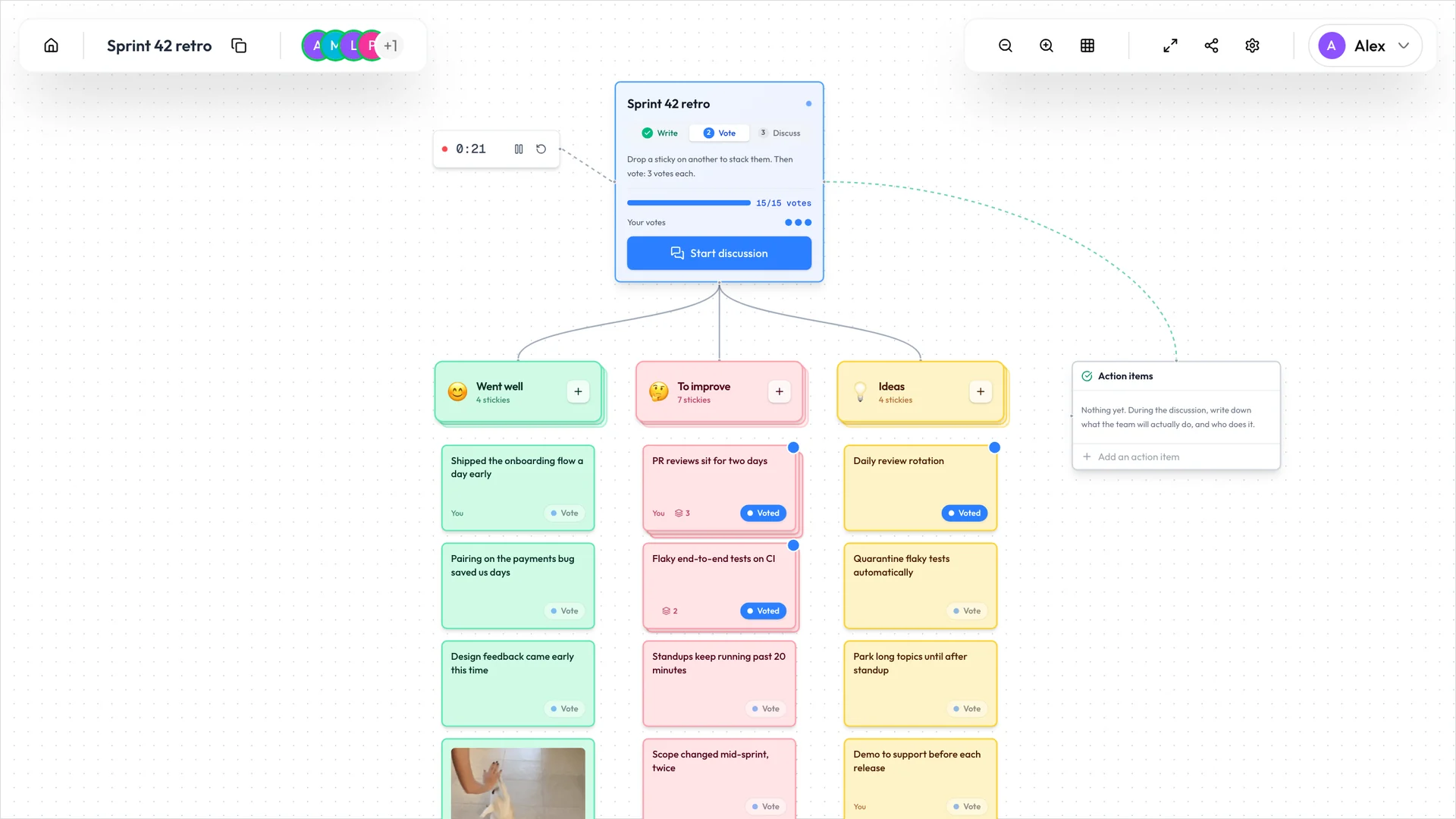
When everyone’s done, the facilitator clicks Reveal, and every sticky turns over at the same moment. Drag a sticky onto a similar one to stack them. A stack counts as one topic and shows how many stickies it holds.
Everyone gets three votes by default, one per topic. Click Vote on a sticky to spend one, and click it again to take it back. While voting, you see your own votes and how many have been cast in total. The totals per topic stay hidden until the discussion, so an early favourite doesn’t pull votes toward itself.
Talk it through
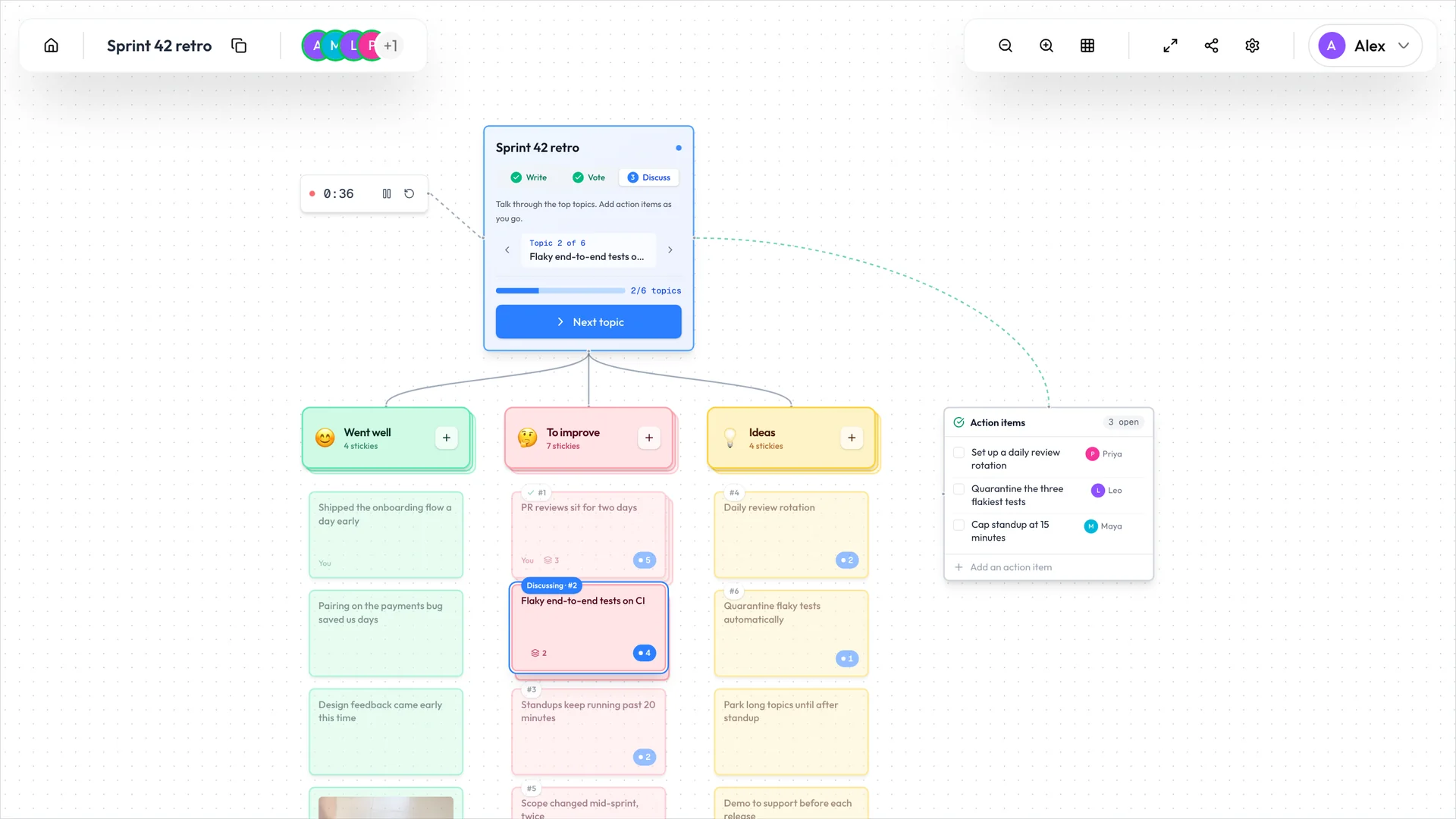
Click Start discussion and the topics line up by votes, most first. The top one goes in the spotlight: everyone’s board pans to it and the rest fades, so the whole team is looking at the same sticky. Next topic moves the spotlight along and ticks off the one you’ve covered. The facilitator can also pick any sticky to discuss, voted for or not.
Write action items as you go, in the box at the right of the board. Anyone in the retro can add one, and each can have an owner.
Finish, then start the next one
Click Finish retro when you’re through. Copy summary puts the whole retro on your clipboard as Markdown, ready to paste into Slack, Confluence or a ticket: the action items with their owners, the topics in the order you discussed them, and every sticky by column. Author names never appear in it.
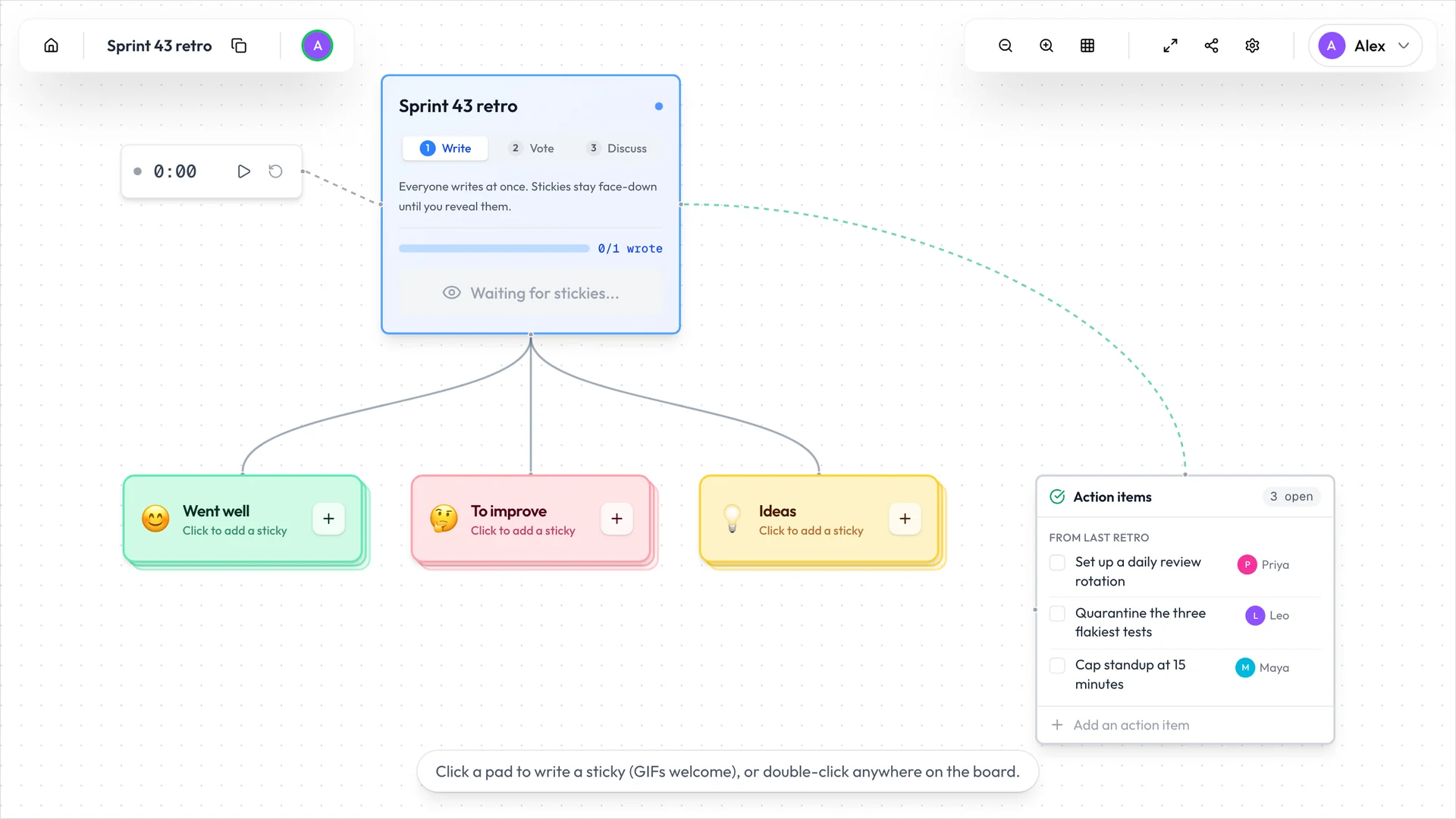
Start the next retro opens the next board with the same columns, votes per person and author setting, moves the number in the name along (“Sprint 42 retro” becomes “Sprint 43 retro”), and copies every open action item into it under “From last retro”. Anyone still on the finished board gets a button to follow you there.
Make it yours
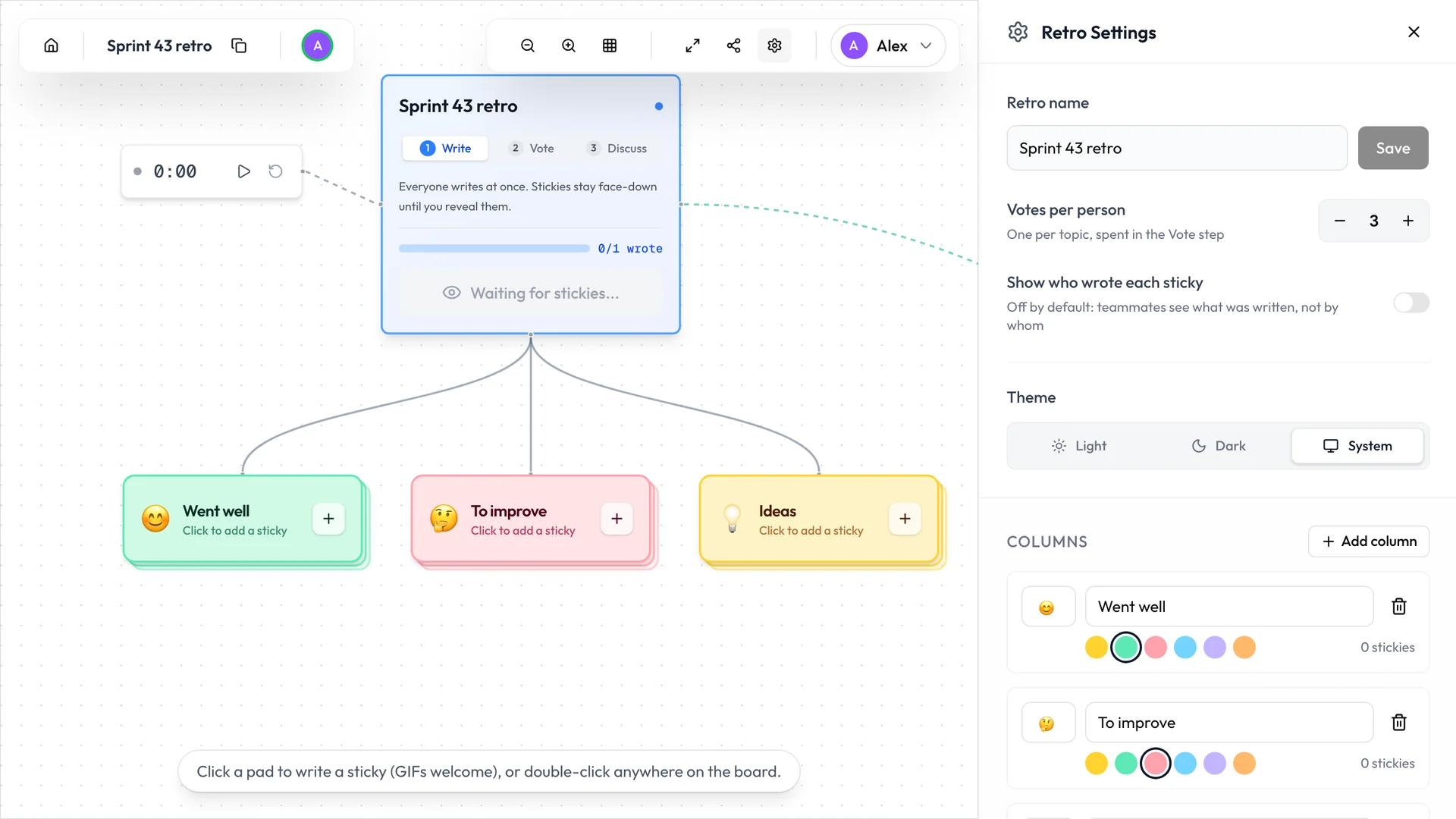
Rename a column right on the board. The retro’s settings do the rest: add or remove columns (up to six), change their emoji and colour, and set how many votes each person gets, from 1 to 10. The person who started the retro can also make teammates facilitators and choose who may move between steps, edit other people’s stickies or manage action items. A shared timer sits on the board too, for anyone keeping an eye on the clock.
Who sees what
By default, teammates see what was written, not who wrote it. The retro does keep track of each sticky’s author, though, and the Show who wrote each sticky setting puts names on every revealed sticky, including the ones written before it was switched on. If your team cares about that, agree on the setting before you start.
Votes are private either way: nobody is shown who voted for what.
Keeping your retros
A retro started as a guest is removed after 5 days without activity. Most sprints run longer than that, so if you want to carry action items from one retro to the next, sign in. A signed-in account keeps its retros until you delete them, and signing in after the fact keeps the ones you already own. The retros you’ve joined are listed under Retros in your dashboard.
Open a board, share the link, and run your next retro on it.
Found a bug, or missing something your team relies on? Open an issue on GitHub. AgileKit is open source, retros included.
Related Articles
Which Agile Estimation Technique Should You Use? 7 Methods Compared
Compare Planning Poker, T-Shirt Sizing, Affinity Estimation, and more. Find which method fits your team size, precision needs, and context.
January 27, 2025
Jira Integration Is Here: Import Issues, Push Estimates, Stay in Sync
AgileKit now connects to Jira Cloud. Pull sprint issues into your planning sessions, push story point estimates back when your team agrees on a number, and stop copy-pasting between tabs.
February 27, 2026
How to Facilitate Planning Poker: A Complete Guide for Scrum Teams
Master facilitating planning poker. This guide covers the process, the science behind why it works, and practical tips from real sprint planning sessions.
January 7, 2025